shopify store optimization Freelance Services
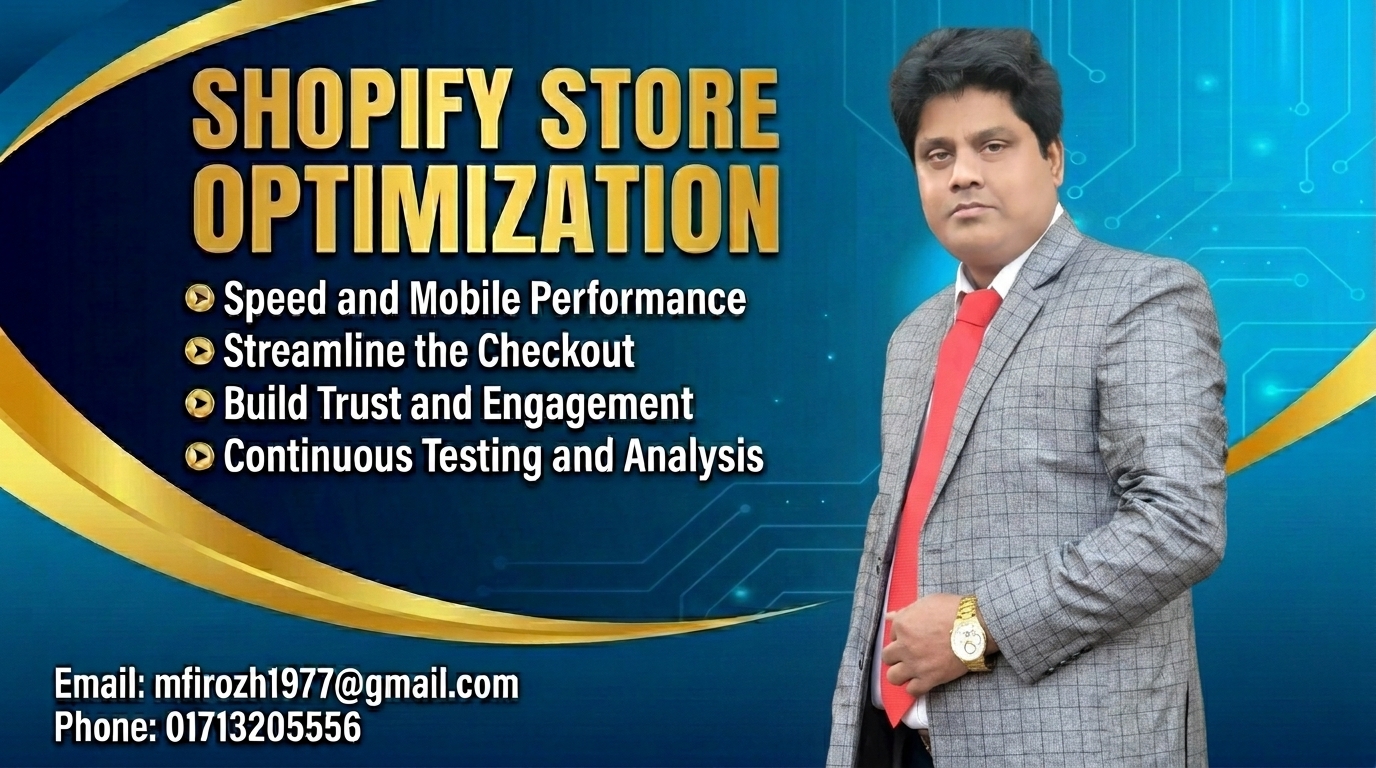
My Shopify Store Optimization Freelance Services are designed to improve your store’s performance, enhance user experience, and increase conversion rates. Additionally, I specialize in Shopify SEO, speed optimization, Core Web Vitals improvements, mobile responsiveness, and conversion-focused enhancements. As a result, your store can achieve better search visibility and customer engagement. Furthermore, by implementing proven optimization strategies, I help Shopify stores attract more qualified traffic, boost sales, and achieve sustainable eCommerce growth over the long term.
Why Shopify Store Optimization Is Important
Shopify store optimization is essential for improving search engine rankings, increasing organic traffic, and enhancing user experience. A well-optimized Shopify store loads faster, attracts targeted customers, and boosts conversion rates. By optimizing SEO, content, and site performance, businesses can increase online visibility, drive more sales, and achieve sustainable eCommerce growth.
How Shopify Store Optimization Works:
Shopify store optimization improves your online store’s performance by enhancing site speed, SEO, user experience, and conversion rates. It involves optimizing product pages, keywords, images, navigation, and mobile responsiveness. Effective Shopify optimization helps increase search engine visibility, attract targeted traffic, boost customer engagement, and drive more sales.
List of My strategies for shopify store optimization
Shopify SEO optimization
As a Shopify SEO expert, I provide comprehensive Shopify SEO optimization services that help improve search rankings, increase organic traffic, and enhance overall store performance. First, I conduct in-depth keyword research to identify valuable search opportunities. Next, I optimize product pages, collection pages, meta tags, and site structure to improve visibility. Additionally, I enhance technical SEO by optimizing Core Web Vitals, mobile responsiveness, image compression, and page speed. Furthermore, I implement proven strategies that improve user experience and conversion rates. As a result, your Shopify store can attract more targeted visitors, achieve higher Google rankings, and generate increased sales for sustainable business growth.
1. On-Page & Content Optimization
- Title Tags & Meta Descriptions: Keep titles under 60 characters and front-load your primary keyword. Meta descriptions should be compelling, around 150-160 characters, and encourage users to click.
- Product Descriptions: Write unique, keyword-rich descriptions for your products. Avoid using the manufacturer's generic text.
- Collection Pages: Always add collection descriptions to the bottom of the page. List the types of products found there to help search engines discover your pages.
2.Image Optimization
- Alt Text: Search engines cannot "see" images, so they rely on alternative text. Use plain language to describe the image and naturally include your target keywords.
- File Names & Compression: Name image files descriptively before uploading (e.g., red-leather-running-shoes.jpg). Ensure you are using next-gen formats (like WebP) to compress file sizes and keep load times fast.
3.Technical SEO & Site Structure
- URL Handles: Keep your URLs clean and simple. Ensure your product handles directly mirror the product name or primary keyword (e.g., /products/mens-leather-wallet).
- Submit Your Sitemap: Search engines need to find and crawl your store. Submit your store's sitemap (usually ://yourstore.com) to Google Search Console.
- Fix Broken Links: Use tools or apps to auto-detect 404 broken links and redirect visitors to active pages.
4. Leverage AI and Apps
To save time and automate tedious SEO chores, you can use built-in Shopify apps. Tools like BOOSTER AI SEO OPTIMIZER or SEOWILL can help you automate image compression, add alt tags in one click, and structure your SEO metadata.
Shopify website optimization
As a Shopify expert, I provide professional Shopify website optimization services designed to improve store performance, boost search engine rankings, and increase sales. First, I enhance site speed and Core Web Vitals to ensure a fast and smooth user experience. Additionally, I optimize product pages, resolve technical SEO issues, and create mobile-friendly designs that engage customers across all devices. As a result, bounce rates decrease while conversion rates improve. Furthermore, I implement advanced Shopify SEO strategies and performance enhancements to attract targeted traffic. Ultimately, my Shopify website optimization expertise helps businesses achieve sustainable growth, maximize revenue, and succeed in the competitive ecommerce marketplace.
Shopify website optimization is essential for increasing conversions and improving search visibility. On one hand, Speed & Performance enhancements keep visitors engaged and reduce abandonment rates. On the other hand, SEO and Conversion Rate Optimization (CRO) strategies attract qualified traffic and transform visitors into loyal customers. Therefore, a well-optimized Shopify store delivers long-term business success.
1. Speed & Performance (Core Web Vitals)
- Compress Images: Use next-gen formats like WebP and limit image file sizes to under 150KB to reduce the Largest Contentful Paint (LCP).
- Audit Apps: Remove unused Shopify apps, as their background scripts slow down load times. Keep essential apps and combine code where possible.
- Mobile Responsiveness: Ensure your theme adjusts gracefully on mobile devices, as a large majority of ecommerce traffic shops via phone.
2. Search Engine Optimization (SEO)
- Keyword & Meta Data: Insert relevant, high-search-volume keywords into product titles, meta descriptions, and image alt text.
- Site Structure: Utilize Shopify’s built-in logical category hierarchy and clean URL structures to help search engines easily index your store.
- Use AI Tools: Consider apps in the Shopify App Store to automate tasks like broken link removal, AI-generated blog outlines, and batch alt-text tagging.
3. Conversion Rate Optimization (CRO)
- Streamline Checkout: Reduce friction by enabling a seamless, single-page checkout process and adding trusted local payment methods.
- Heatmaps: Install heat mapping apps to track user behavior—such as where they drop off in the purchase funnel or if pop-ups are blocking their view.
- A/B Testing: Test different call-to-action (CTA) buttons, layout placements, and product descriptions to see what resonates best with your local and global audience.
If you want, let me know:
- Your current website URL so I can suggest specific fixes?
- Are you struggling more with low traffic or low conversion rates?
I can provide a tailored checklist to target your exact priorities.
Shopify speed optimization
As a Shopify expert, I provide professional Shopify speed optimization services designed to improve website performance, user experience, and search engine visibility. First, I analyze your store’s performance to identify speed bottlenecks. Then, I optimize images, clean up unnecessary code, remove unused apps, and implement lazy loading techniques. Additionally, I enhance Core Web Vitals and defer non-essential JavaScript to ensure faster page loading. As a result, your Shopify store delivers a smoother shopping experience across all devices. Furthermore, improved site speed helps reduce bounce rates, increase customer engagement, boost SEO rankings, and ultimately maximize conversion rates and sales growth.
Key Optimization Steps:
1. Audit & Remove Unused Apps
- The Problem: Many apps inject background scripts, tracking pixels, and widgets into your store.
- The Fix: Delete apps you no longer use. Go into your theme settings to toggle off unused app embeds.
2. Optimize Images & Media
- The Problem: High-resolution product images and homepage sliders (carousels) cause slow initial load times (Largest Contentful Paint).
- The Fix: Compress images and convert them to modern formats like WebP. Enable lazy loading so images below the fold only load when the user scrolls down.
3. Streamline Theme Code
- The Problem: Bloated, outdated themes carry a lot of unused code that runs on every page.
- The Fix: Upgrade to a modern Online Store 2.0 theme. Ensure you are deferring non-critical JavaScript to prevent scripts from blocking the user's ability to interact with the page.
Use Shopify Performance Apps
If you lack development experience, I can use automated speed optimization apps from the Shopify App Store.
Track Your Progress
Before making any changes, benchmark your current performance using Google’s PageSpeed Insights to check your mobile and desktop Core Web Vitals (LCP, INP, CLS).
My Shopify conversion optimization includes
As a Shopify expert, I specialize in Shopify conversion optimization to help online stores transform more visitors into loyal customers. First, I analyze user behavior and identify obstacles that may be limiting conversions. Next, I optimize product pages, streamline checkout processes, and enhance store layouts to create a seamless shopping experience. Furthermore, I implement data-driven strategies, including A/B testing, mobile optimization, and page speed improvements, to maximize performance. In addition, I incorporate trust-building elements and conversion-focused design enhancements. As a result, businesses can increase sales, improve customer satisfaction, and achieve sustainable eCommerce growth. Whether launching or scaling, effective Shopify conversion optimization delivers measurable results.
To effectively optimize your store and maximize your revenue, implement these high-impact strategies:
1. Speed & Mobile Optimization
- Lightning-fast load times: Compress high-resolution images using tools like TinyPNG to keep pages light. Sites that load in 1 second convert much higher than those that take 5 seconds.
- Mobile-first design: Ensure your hero image, price, and primary Call to Action (CTA) button appear above the fold on mobile screens. Tap targets should be large enough to press easily without zooming.
2. Product Page & Trust Signals
- Visuals & Videos: Include 3-4 product angles, a lifestyle shot, and a short 15-second demonstration video.
- Clear Policies: Place shipping times, costs, and return policies right next to the "Add to Cart" button to ease buyer anxiety.
- Social Proof: Display authentic customer reviews with star ratings directly on the product page.
3. Checkout Friction
- Accelerated Payments: Enable one-click checkouts like Shop Pay, Apple Pay, and Google Pay to bypass traditional form filling.
- Upsells: Utilize post-purchase or in-cart upselling features provided by Shopify to increase your Average Order Value (AOV).
4. Data & Testing
- Benchmark & Analyze: Track your progress using the Shopify Analytics dashboard. The global ecommerce average sits between 1.5% and 3%, depending on your specific niche.
- A/B Testing: Never guess what works; use A/B testing tools (like those available in the Shopify App Store) to test button placements, copy, and layout changes.
IF YOU WANT TO TAILOR THESE TACTICS TO YOUR SPECIFIC STORE, TELL ME:
- What is your current conversion rate and niche (clothing, electronics, home goods, etc.)?
- What is the bounce rate or where do you notice the highest drop-off (e.g., product page to cart, or cart to checkout)?
I CAN HELP YOU PINPOINT THE EXACT LEAKS IN YOUR FUNNEL!
Shopify performance optimization
As a Shopify expert, I specialize in Shopify performance optimization to help online stores achieve faster loading speeds, enhanced user experiences, and increased conversion rates. First, I analyze Core Web Vitals and identify performance bottlenecks. Then, I optimize images, streamline app usage, and minimize unnecessary code to improve overall site efficiency. Furthermore, I focus on enhancing mobile responsiveness and reducing page load times, ensuring a seamless shopping experience across all devices. In addition, optimizing Shopify performance involves addressing common speed issues such as app bloat, oversized media files, and unoptimized code. As a result, stores benefit from better search engine rankings, higher customer satisfaction, and sustainable eCommerce growth.
1. App and Theme Management
- Audit Apps: Delete unused apps, as their background scripts often load even if you aren't actively using them. Uninstalling the app doesn’t always remove its tracking code; you may need to manually clean up residual Liquid code.
- Disable App Embeds: Go to your Shopify Admin > Online Store > Themes > Customize. In the Theme settings tab, open App embeds and toggle off any services (like pop-ups or chat widgets) that aren't generating sales.
- Clean Theme Code: Avoid bloated theme bundles. If using older code, consider upgrading to a modern Online Store 2.0 theme (like Dawn) which handles sections natively much faster.
2. Media Optimization
- Compress and Convert Images: Large PNG and JPEG files heavily drag down Largest Contentful Paint (LCP) speeds. Always compress images and convert them to next-gen formats like WebP.
- Implement Lazy Loading: Ensure your hero images load eagerly, but force everything "below the fold" to lazy load. Most modern Shopify themes do this by default, but double-check your custom snippets.
- Limit Sliders and Videos: Avoid using heavy autoplay background videos or massive image sliders in your "hero" section.
3. Code and Script Optimization
- Minify Assets: Use a minification tool to strip extra comments and spacing from your CSS and JavaScript files, reducing overall bundle sizes.
- Defer Non-Critical Scripts: Custom code or third-party marketing tags should be deferred so they don't block your page from rendering.
4. Monitor and Test
Use reliable testing tools to track your Core Web Vitals and find specific bottlenecks:
- Google PageSpeed Insights
- Shopify Web Performance Resources
- DebugBear Shopify Speed Guide
If you'd like, let me know:
- Your current theme name
- Roughly how many apps you currently have installed
- Which specific pages are loading slowly (e.g., Homepage, Product Page, Collection)
I can give you a more customized plan for your store.
shopify store speed optimization services
Improve your online store’s performance with professional Shopify Store Speed Optimization Services. First, I analyze your store to identify speed bottlenecks and performance issues. Then, I optimize Core Web Vitals, including LCP, CLS, and INP, to enhance both user experience and search engine rankings. Additionally, I compress images, streamline code, remove unnecessary app bloat, and improve mobile responsiveness. As a result, your Shopify store loads faster, reduces bounce rates, and increases customer engagement. Furthermore, a high-performing website encourages higher conversion rates and greater revenue. Whether your store is new or established, my expert Shopify speed optimization solutions deliver a seamless and efficient shopping experience.
Key areas usually targeted by speed optimization services include:
- App & Theme Cleanup: Removing unused third-party apps, redundant tracking scripts, and bloated theme sections.
- Image Optimization: Compressing and converting product images to modern, lightweight formats like WebP.
- Code Minification: Cleaning up excessive Liquid, JavaScript, and CSS loops to reduce file size.
- Code Minification & Caching: Cleaning up backend Liquid files, minifying code, and configuring browser caching for return visitors.
- Lazy Loading & Caching: Ensuring off-screen images and heavy media load only when the customer scrolls, while enabling effective browser caching.
Where to find Shopify Speed Optimization Services
Depending on your budget and the complexity of your store, you can choose from specialized agencies, freelancers, or automated tools:
- Freelance Experts: Platforms like Fiverr host a large pool of Shopify speed experts, with targeted, project-based services starting from as low as $30 to $300.
- Specialized Agencies: For highly customized themes, wholesale migration, or complex integrations, dedicated agencies offer comprehensive audits and continuous performance monitoring.
- Automated Shopify Apps: If you want a quick fix without custom coding, apps like Boostify offer automated lazy loading, script management, and minification starting at low monthly subscription costs.
I can help identify exactly what is slowing down your store.
You can source these services from specialized e-commerce agencies or vetted freelance experts. To explore providers and compare packages, you can browse listings on platforms like Fiverr Shopify Speed Optimization or specialized agency portfolios.
If you’d like, let me know:
- Is your site speed worse on mobile or desktop?
- Are you currently running many third-party applications?
- What is your current Shopify speed score?
To help narrow down the best solution for your business, tell me a little more about your current setup:
- Are you using a custom-coded theme or a standard Shopify theme (e.g., Dawn, Impulse)?
- Roughly how many third-party apps do you currently have installed?
- Do you notice any specific issues (e.g., slow mobile loading, layout shifts)?
Hire the Best Shopify SEO Experts
As a Shopify SEO expert, I help businesses improve their online visibility, attract highly targeted traffic, and increase sales through proven optimization strategies. First, I conduct comprehensive keyword research and technical SEO audits to identify growth opportunities. Next, I optimize store architecture, product pages, collection pages, meta titles, and meta descriptions to enhance search engine rankings. Additionally, I improve Core Web Vitals, site speed, schema markup, and content relevance to strengthen organic performance. As a result, Shopify stores benefit from better user experiences, increased engagement, and higher conversion rates. Ultimately, my data-driven approach delivers sustainable growth and long-term eCommerce success.
Core Responsibilities of a Shopify SEO Expert
- Technical Optimization: Fixing crawl errors, improving page loading speeds, optimizing mobile responsiveness, and managing URL structures and canonical tags to avoid duplicate content.
- On-Page & Intent-Based SEO: Strategically mapping keywords to product titles, meta descriptions, and image alt text while designing topic clusters for your collection pages and blog.
- Answer & AI Search Optimization (AEO): Structuring content (using exact headings and structured data/schema) so that AI search engines, voice assistants, and Google’s AI Overviews can easily pull your product information.
- Conversion Rate Optimization (CRO): Ensuring that the organic traffic coming to your site turns into buyers by creating an intuitive, user-friendly site architecture.
- Conversion Rate Optimization (CRO): Ensuring that the organic traffic coming to your site turns into buyers by creating an intuitive, user-friendly site architecture.
Where to Find & Hire Vetted Experts
- Upwork: Browse through top-rated global professionals on Upwork Shopify SEO Experts.
- Fiverr Pro: Hire pre-vetted, high-end e-commerce SEO specialists via Fiverr Pro Shopify SEO Experts.
- Specialized Agencies: Partner with e-commerce growth agencies like Expert Village Media or Blackbelt Commerce for full-scale audits and continued strategy.
If you are looking to hire or optimize your store, it helps to narrow down your needs. Could you tell me:
- What platform or tool are you currently using to track your traffic (e.g., Google Analytics, Google Search Console)?
- Are you facing a specific issue, such as slow site speed or low conversion rates on your product pages?
- What is your primary product niche?
Buy Shopify Optimization Freelance Services
I provide professional Shopify optimization services that are specifically designed to enhance store performance, improve loading speed, and increase conversions. Furthermore, my expertise helps Shopify businesses create a better user experience, optimize product pages, and boost organic traffic through advanced SEO strategies and technical enhancements. As a result, your online store becomes faster, more visible, and highly conversion-focused. In addition, Shopify optimization services include image compression, code minification, and app or theme cleanup. Consequently, these improvements reduce cart abandonment, strengthen search engine rankings, and increase sales. Ultimately, they support sustainable eCommerce growth and long-term business success.
Key Types of Optimization Services
- Speed & Performance: Focuses on improving Core Web Vitals (Largest Contentful Paint, Cumulative Layout Shift) to ensure your store loads instantly across desktop and mobile devices.
- Techniques: Advanced image compression, Javascript/CSS minification, eliminating unused third-party app scripts, and browser caching.
- Conversion Rate Optimization (CRO): Fine-tunes the user journey to turn casual visitors into buyers.
- Techniques: Streamlining the checkout process, improving button placements, optimizing navigation, and A/B testing page layouts.
- Search Engine Optimization (SEO): Ensures your store ranks higher in Google searches for your products.
- Techniques: Keyword mapping, fixing broken links, adding schema markup, optimizing page titles/meta descriptions, and improving mobile usability.
Platforms to Find Experts & Freelancers
- Fiverr: Ideal for smaller, budget-friendly, one-time fixes like speed boosts or image compression starting around $30 - $100.
- Specialized Agencies (e.g., SpeedBoostr): Better for comprehensive professional packages, full site audits, and complex custom code cleanups.
If you want, let me know:
- What specific issues you are trying to solve (e.g., slow load times, poor search traffic, low sales).
- Your approximate budget (freelancer vs. agency).
I can help you narrow down exactly what type of expert to look for and where to begin!
How to Improve your Shopify Store and Sell More
If you are searching for ways to improve your Shopify store and increase sales, it is essential to focus on optimization, user experience, and proven conversion strategies. First, enhance your store design and optimize product pages to create a more engaging shopping experience. Additionally, implementing effective Shopify SEO techniques and improving website speed can help attract more organic traffic. Furthermore, strategic marketing efforts and continuous store optimization contribute to long-term eCommerce growth. To maximize conversions and customer retention, prioritize site speed, build trust with social proof, and simplify the checkout process. Finally, follow a structured optimization plan that targets the most impactful areas of your Shopify store.
A structured optimization plan includes the following key areas:
Boost Page Speed & Performance
- Compress Images: Use next-gen formats like WebP and compress heavy banners to improve load times.
- Remove Unused Apps: Delete apps that are no longer needed to prevent extra code from slowing down your store's storefront.
- Audit Scripts: Use Google PageSpeed Insights to check for lagging metrics and delay or defer non-essential scripts (like chat widgets or tracking tools).
Optimize for Conversions & Trust
- Streamline the Checkout: Opt for a one-page checkout layout and activate fast-click digital wallets to prevent cart abandonment.
- Add Social Proof: Integrate user reviews, ratings, and explicit trust badges to remove hesitation before purchase.
- Clear Navigation: Make sure your products are easy to find with a clean menu structure and prominent search bars.
Enhance Product Pages
- Upgrade Visuals: Use sharp, professional product photos, videos, or 3D models.
- Benefit-Focused Copy: Rewrite product descriptions to clearly outline why the customer needs the item, using formatting like bullet points for quick scanning.
- Sticky Add-to-Cart: Keep the "Add to Cart" button in a fixed position on mobile screens so shoppers can make a purchase the moment they decide.
If you want, I can tailor these recommendations exactly to your situation. Tell me:
- What is your industry or niche?
- What do you feel is your biggest problem right now (e.g., getting traffic vs. getting people to buy)?
I can help you build a step-by-step optimization checklist.
How to Optimize Your Shopify website for Faster Load Times
Learning how to optimize your Shopify store for faster load times is essential because it directly improves user experience, enhances SEO rankings, and increases conversion rates. Moreover, a fast-loading Shopify store reduces bounce rates, keeps visitors engaged, and encourages them to explore more products. As a result, businesses often see higher sales and improved overall performance. To achieve these benefits, you should focus on proven optimization strategies. For example, regularly auditing installed apps, compressing product images, and using a lightweight, modern Shopify theme can significantly boost site speed. Additionally, these improvements enhance mobile responsiveness and create a smoother, more enjoyable shopping experience.
Prioritize these optimization steps to see immediate improvements:
Audit and Remove Unused Apps
Apps add scripts that load in the background, which is the leading cause of a slow storefront.
- Review apps: Go to your Shopify Admin > Apps and delete any unused or non-essential applications.
- Remove residual code: Uninstalling an app does not always remove its injected code from your theme. Refer to the app's documentation or use the Shopify Help Center for complete removal instructions.
Optimize and Compress Images
Large, uncompressed images slow down your page loading times.
- Compress files: Compress your images before uploading using tools like TinyPNG or ImageOptim.
- Adopt WebP format: Shopify automatically serves images in modern formats like WebP, ensuring they remain high-quality without ballooning in file size.
- Lazy loading: Ensure that below-the-fold images and secondary galleries use lazy loading, which defers loading until the user scrolls down to them.
Choose a Lightweight Theme
Heavy, animation-loaded themes can kill your performance.
- Switch to a clean, minimal, well-coded theme built for speed, such as the default Dawn theme.
- A fast-loading, lightweight theme reduces your page's overall weight and improves your load times significantly.
Optimize Navigation and Caching
- Reduce redirects: Excessive redirects and broken links add unnecessary HTTP requests that increase load times.
- Utilize Shopify's CDN: Shopify provides a built-in Content Delivery Network (CDN) to distribute and deliver your content quickly to users worldwide.
If you tell me what specific theme you are using or how many active apps you currently have, I can help you create a customized speed optimization plan.
Ready to Hire Shopify Store optimizationExpert?
To summarize, Shopify store optimization plays a crucial role in improving website performance, enhancing user experience, and increasing conversion rates. Moreover, a well-optimized Shopify store attracts more targeted traffic, loads faster, and delivers a smoother shopping experience. As a result, businesses can generate higher sales and improve customer satisfaction. Furthermore, investing in professional Shopify store optimization helps maximize revenue, strengthen online visibility, and build a competitive advantage. Ultimately, these improvements contribute to sustainable growth and long-term eCommerce success.
Contact me today to start your shopify store optimization project and turn technical performance into competitive advantage. Contact Me: Email: mfirozh1977@gmail.com WhatsApp: +8801713205556